Chess database · AI coach · iPad, iPhone & Mac

Turn every game
into progress.

Chessory is your personal chess database – always in sync across iPad, iPhone and Mac. It finds the moments that decided your games, and your AI coach explains why.

For players of every strength – from your first tournament to the top board of your club.

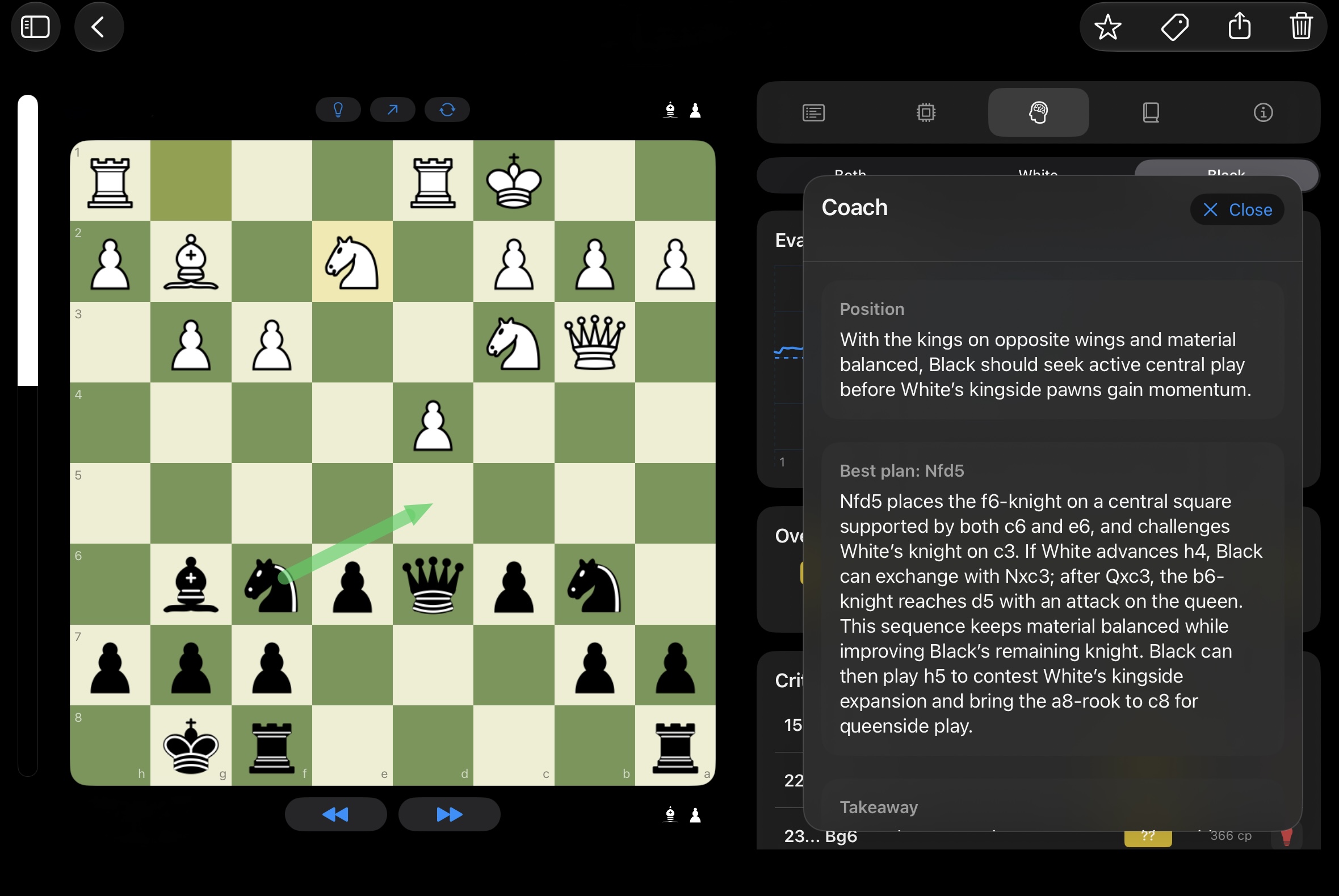
Chessory on iPad: the AI coach explains the position and the best plan, Nfd5
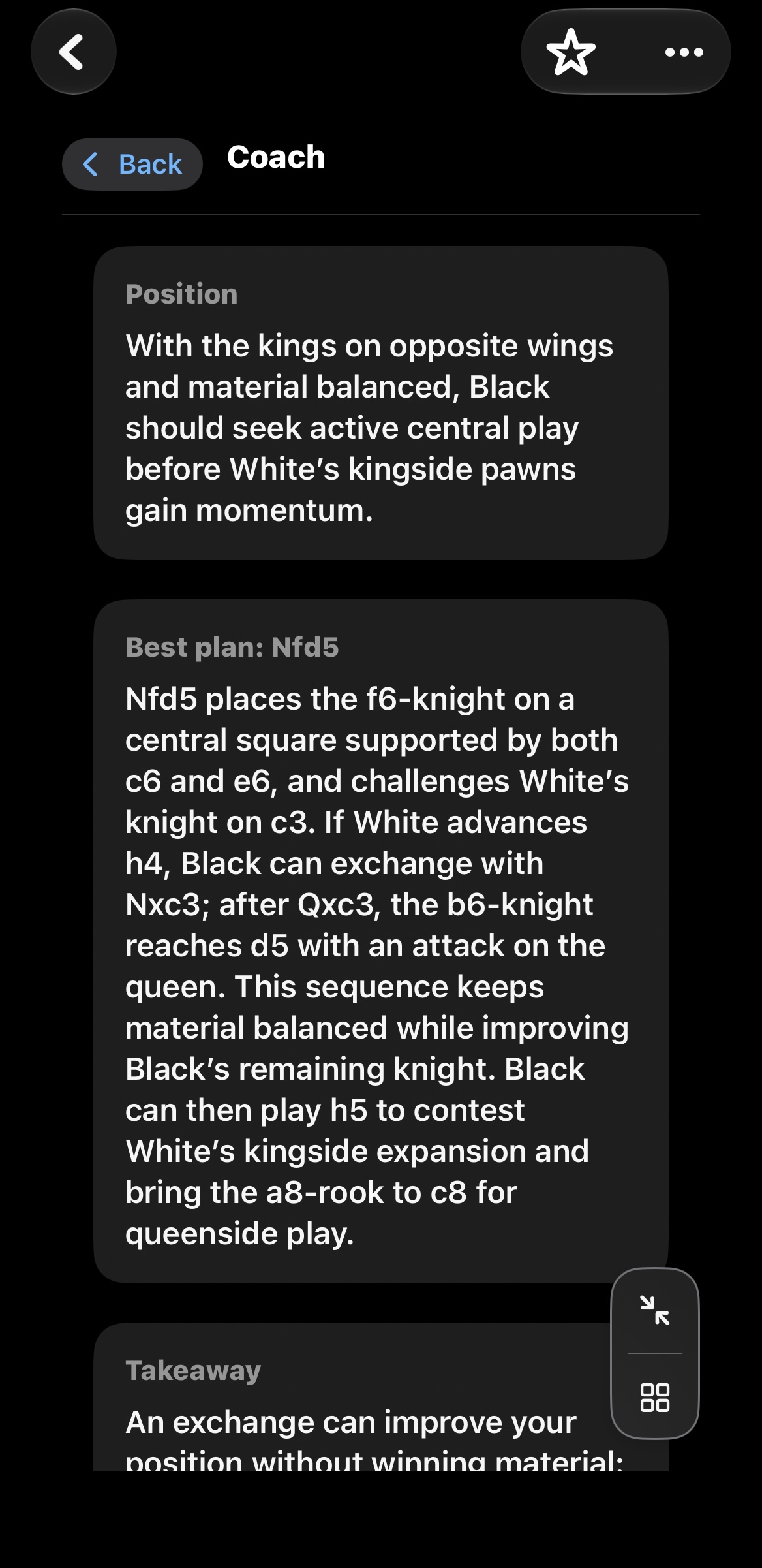
Chessory on iPhone: the AI coach explains the position and the best plan, Nfd5
AI Coach · Best planNfd5

Nfd5 places the f6-knight on a central square supported by both c6 and e6, and challenges White’s knight on c3.

Excerpt from the app

Personal chess database · iCloud

One database. Every device. Always up to date.

All your games and every full analysis – on your iPad, iPhone and Mac, kept in sync via iCloud. Chessory is a native app, tailored to each screen.

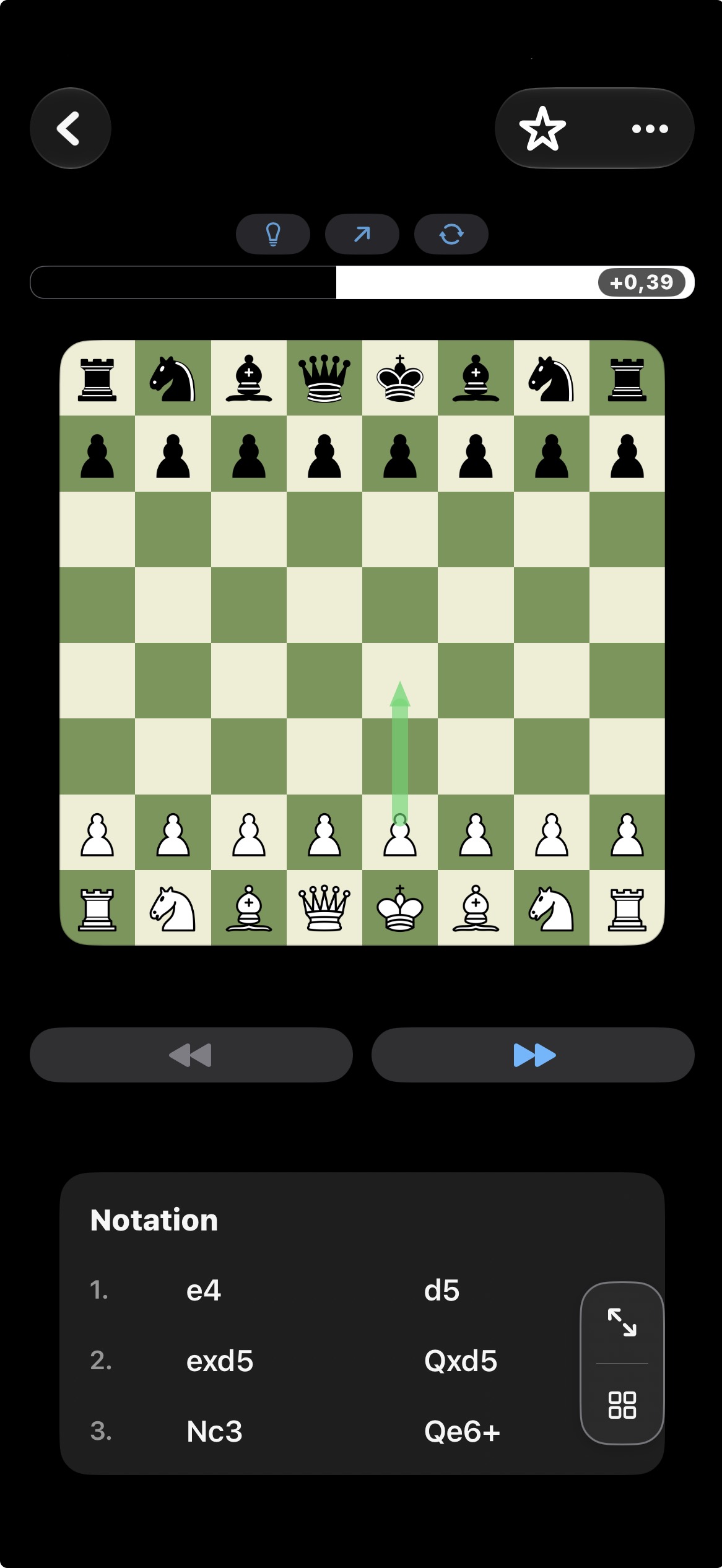
Chessory on iPhone: a game with notation and evaluation bar
iPhoneReview your games anywhere
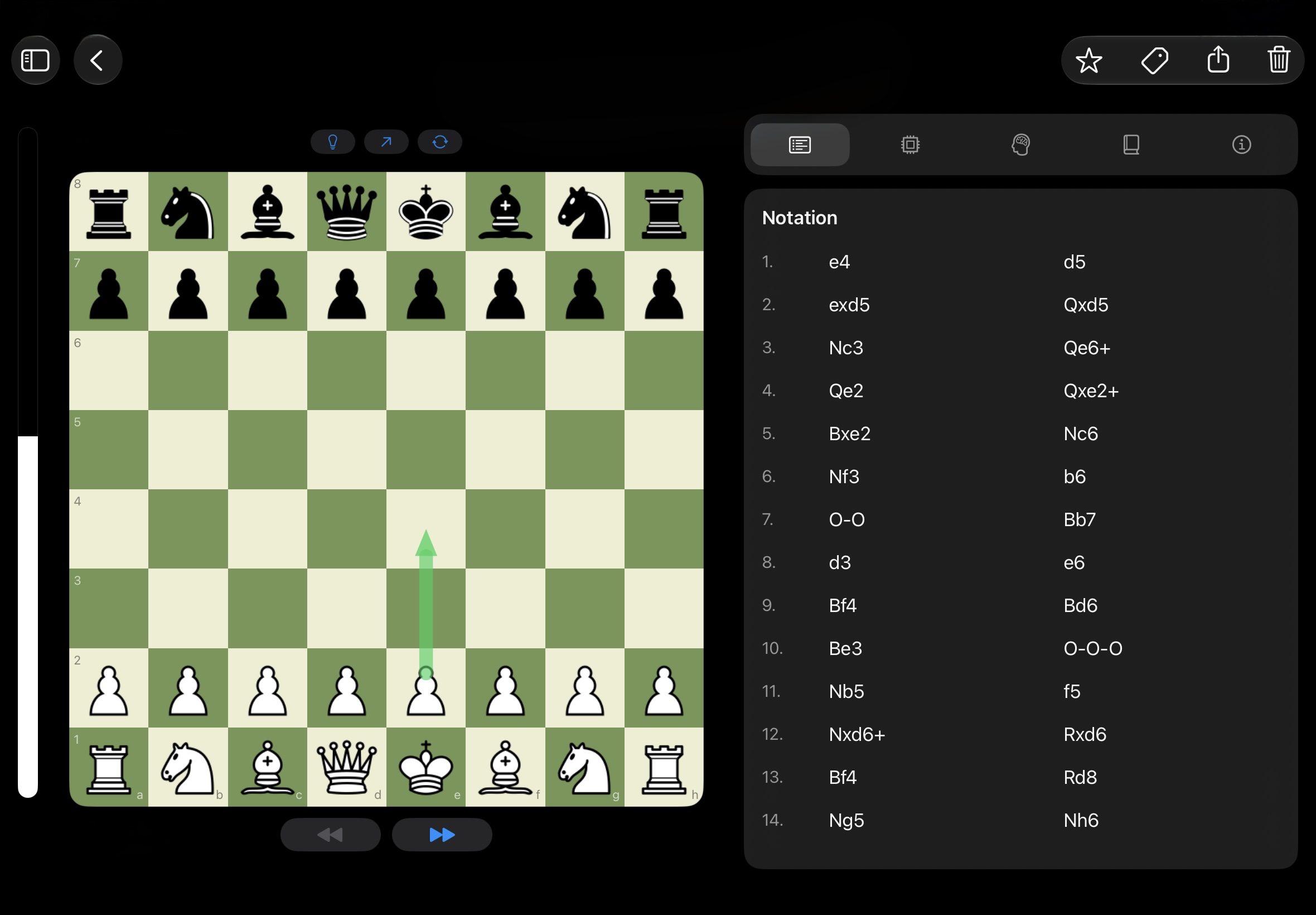
Chessory on iPad: a game with notation
iPadThe big board – made for analysis
MacScreenshot
MacRoom for deep study
Everything in one placeLichess, Chess.com, club games, PGN: one personal collection.
Find any game fastFilter by game metadata, tags and favorites.
Analyses travel with youFull analyses are available on every iCloud-synced device.

Enter your club game on the iPad in the evening – and go through it, full analysis included, on your iPhone the next morning.

Sync, import & export

Your online games. Always up to date.

Played on Lichess or Chess.com? Right from your game list, Chessory brings in your latest games, ready for analysis.

  • Over-the-board games from your club or tournament – enter them manually and analyze them like any other
  • Free position setup – analyze any position without entering a whole game
  • FEN import for positions you already have
  • PGN import and export – bring games in and use them in other chess programs
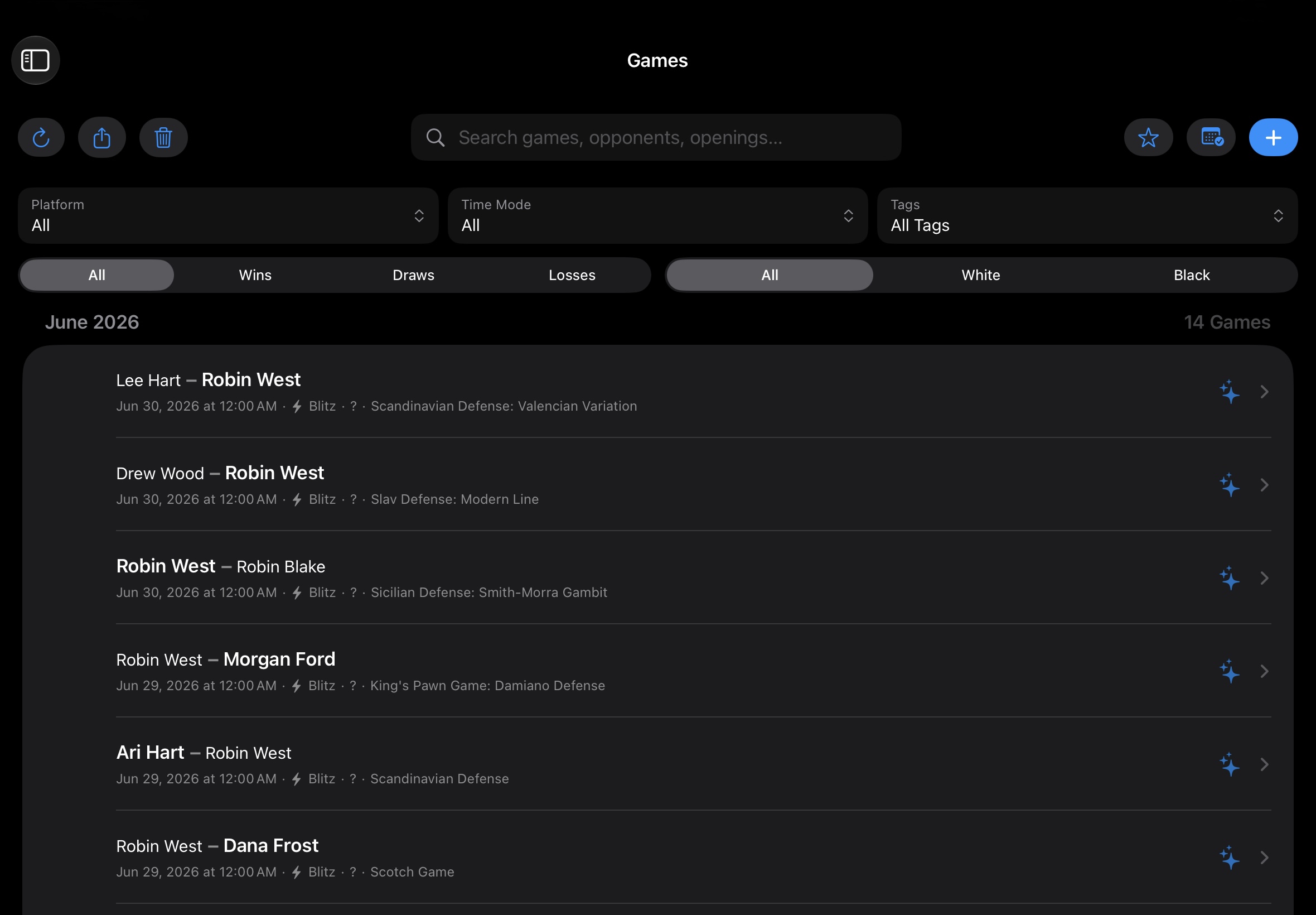
Chessory on iPad: the game list with filters, search and sync

Full analysis

Find the moves that really decided your game.

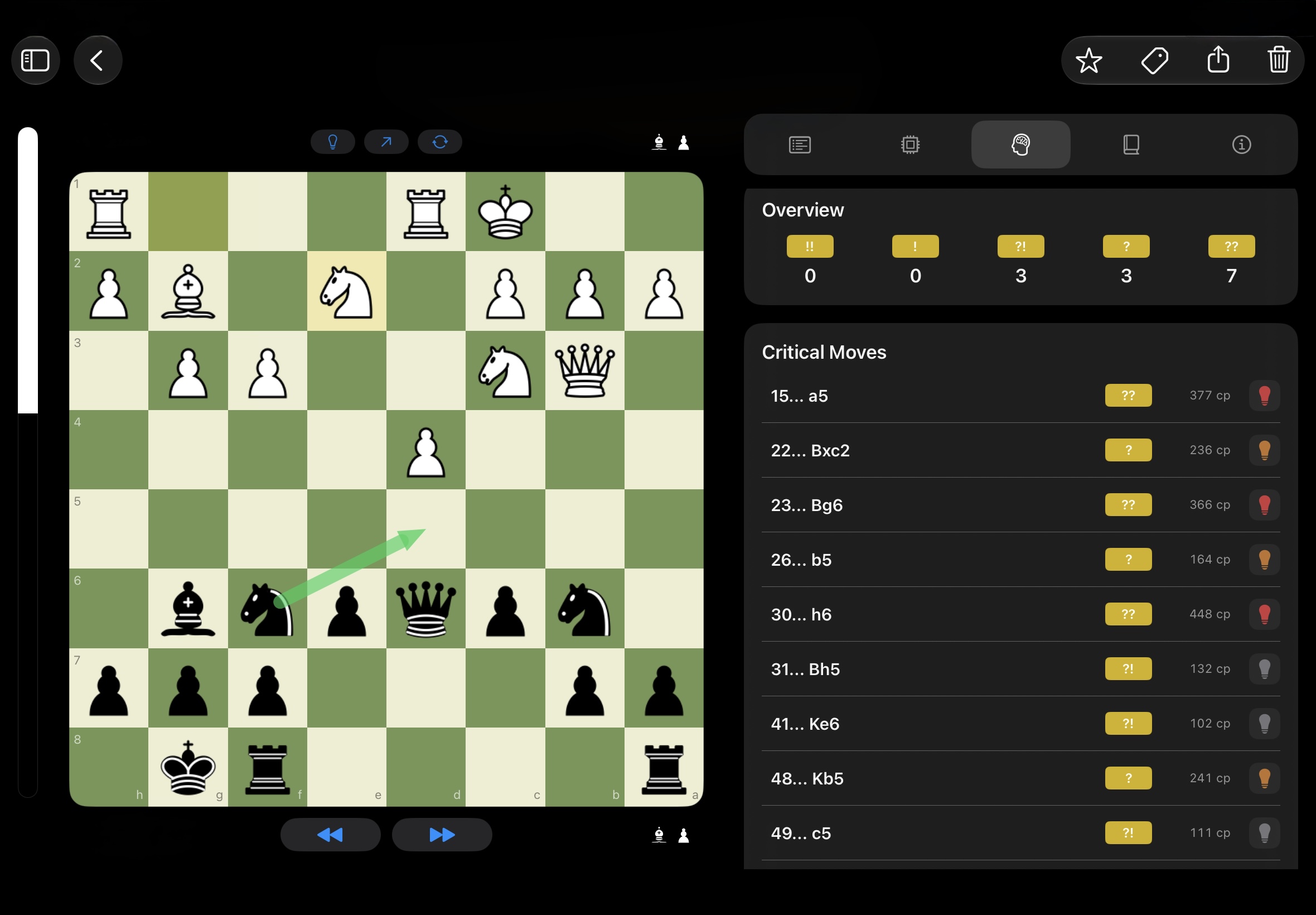
Chessory's chess engine reviews your entire game, highlights mistakes and critical moments – and shows you where the game turned.

  • Mistakes and critical moves detected automatically
  • Explore variations and see what you could have played instead
  • MultiPV: compare several candidate lines and their evaluations side by side
  • Every critical move goes straight to your AI coach – for the why behind it
Chessory on iPad: full analysis with critical moves and evaluations

Your AI chess coach

Finally understand why.

An engine tells you a move was bad. Your coach tells you why. Chessory's two AI coaches turn engine evaluations into clear explanations – about your own games, your own mistakes and the positions you actually reach.

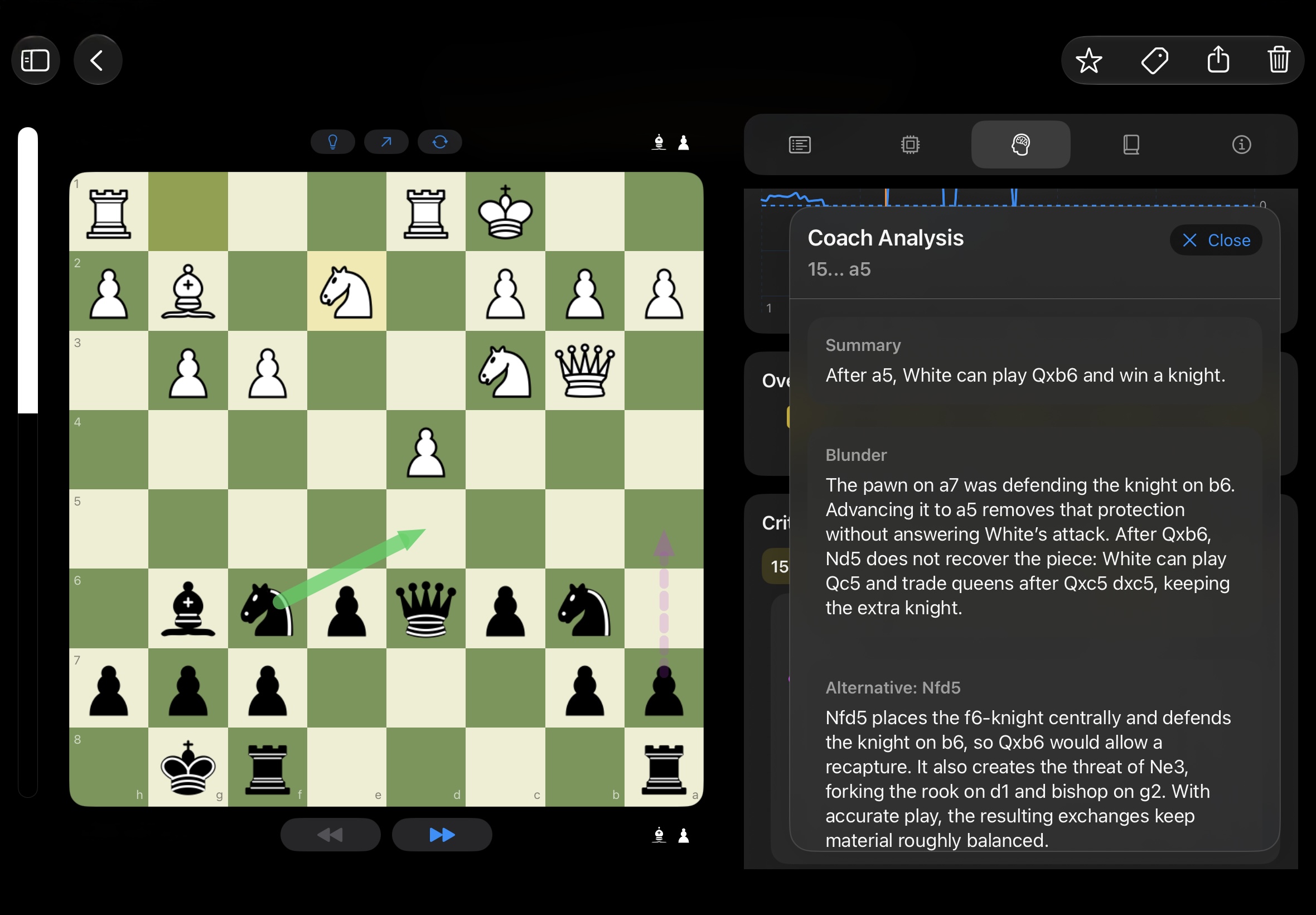
Chessory on iPad: the AI coach explains a blunder and a better alternative
Learn from your mistakes

“Why was my move wrong?”

The coach goes through the mistakes from your full analysis: why your move was weak, which move was better – and why it works.

You played 15…a5??Better 15…Nfd5

The pawn on a7 was defending the knight on b6. Advancing it to a5 removes that protection without answering White’s attack. After Qxb6, Nd5 does not recover the piece.

Excerpt from the app
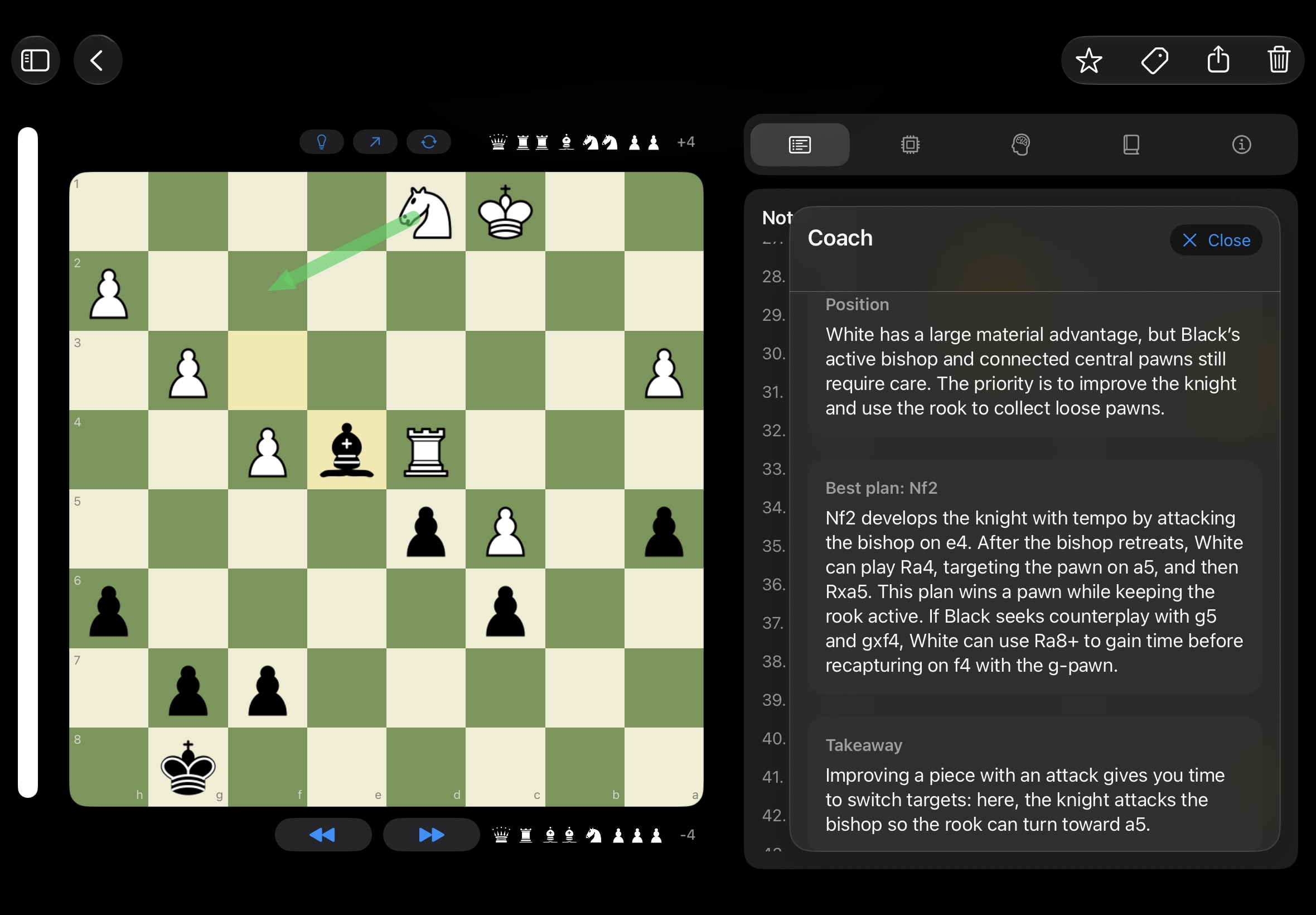
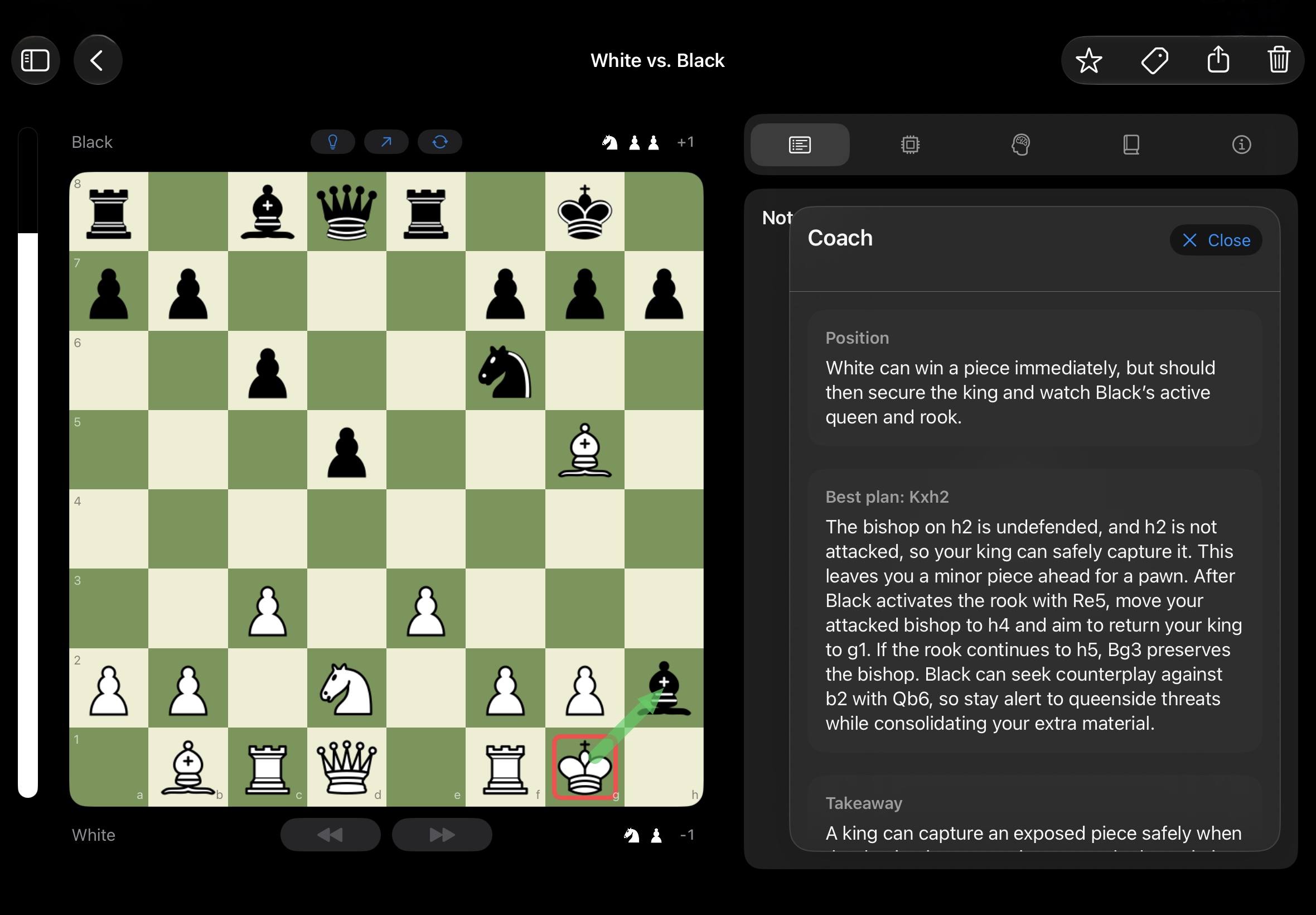
Chessory on iPad: the AI coach explains a position with the best plan
Understand any position

“What's going on here?”

Show the second coach any position – from your game, a book or a photo. It explains the plans behind it and points out tactical and strategic motifs where they matter.

Position · Best plan: Nf2

Nf2 develops the knight with tempo by attacking the bishop on e4. After the bishop retreats, White can play Ra4, targeting the pawn on a5. Takeaway: improving a piece with an attack gives you time to switch targets.

Excerpt from the app
Your games, not random puzzlesLearn from the positions you actually play.
Plain languageExplanations you can follow – no engine numbers to decode.
Saved for laterExplanations are saved, so you can come back to them.

Especially valuable for players up to around 2000 Elo – and useful at any level. AI explanations are a learning aid and can make mistakes.

AI image import

Snap a photo. Analyze the position.

A puzzle in a book, a position on a real board, a frame from a stream: take a picture and Chessory turns it into a board position. Then the engine and your coach take it from there.

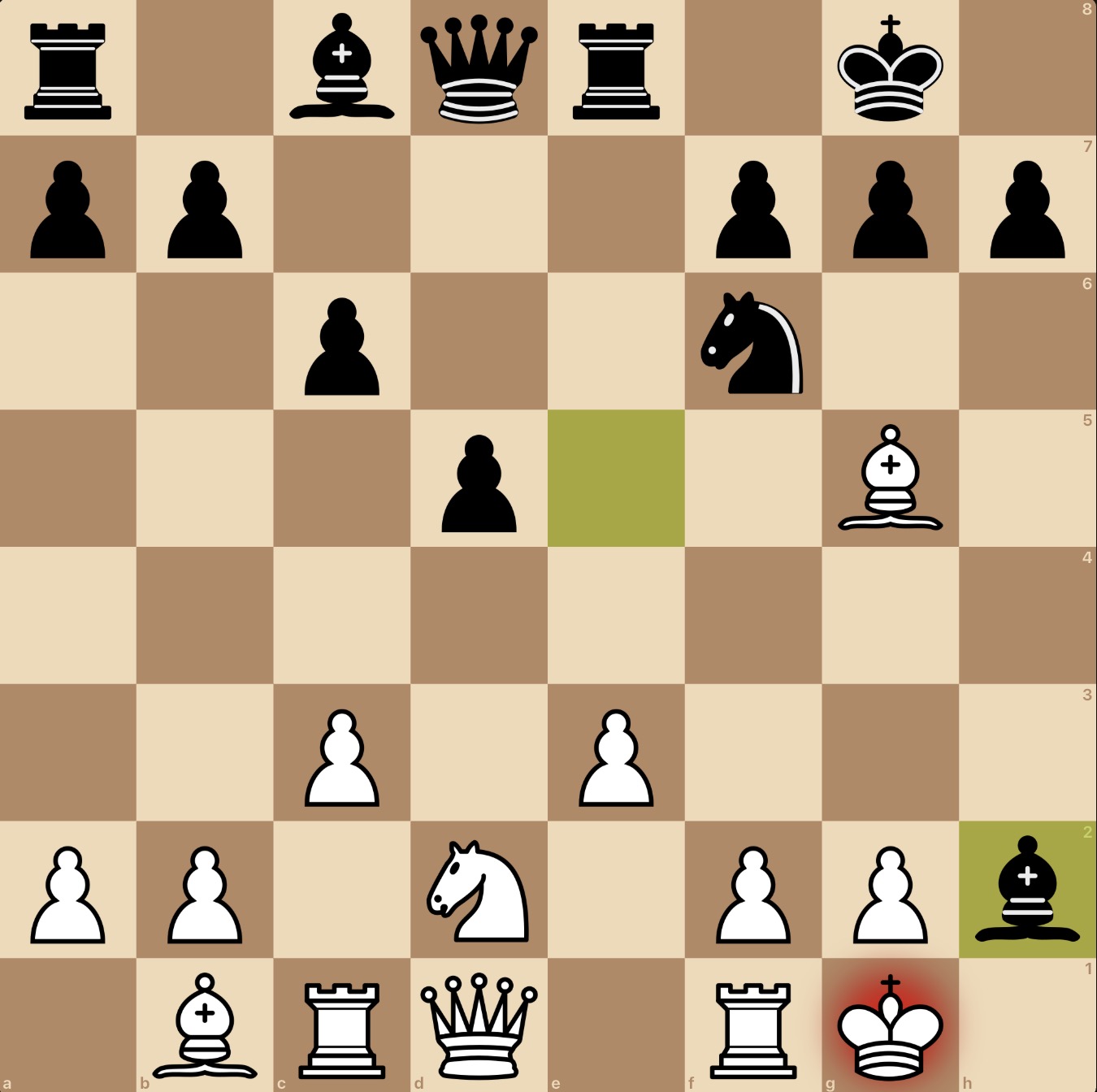
A photographed chess position
1 · Photo or screenshotTake a picture or pick one
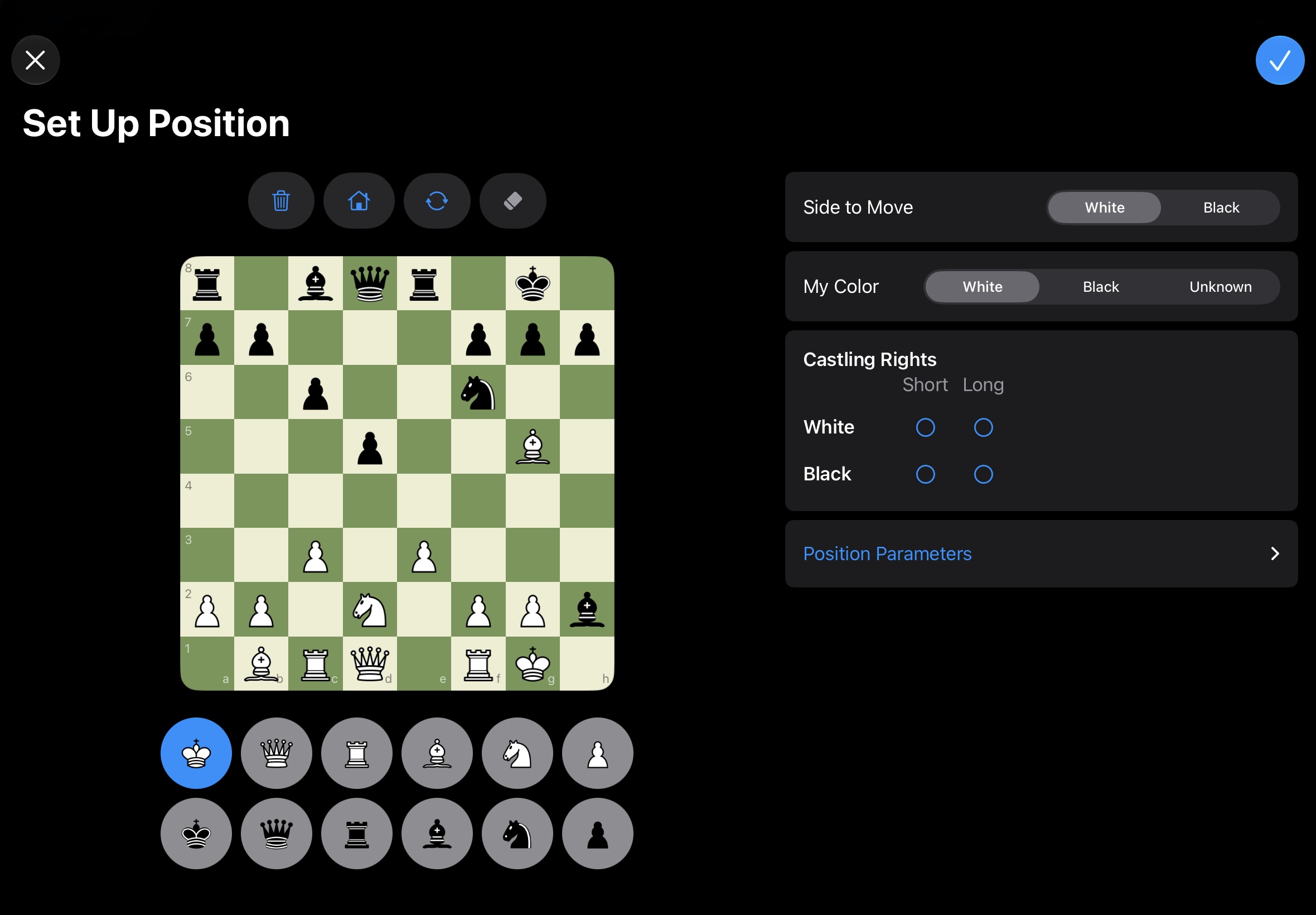
Chessory: the board position set up in the editor
2 · Board positionCheck it and adjust if needed
Chessory: the coach analyzes the position
3 · AnalysisEngine lines and coach explanation

A photo gives you one position, not a whole game. Always double-check the detected position.

Openings

Know your openings. See how they perform.

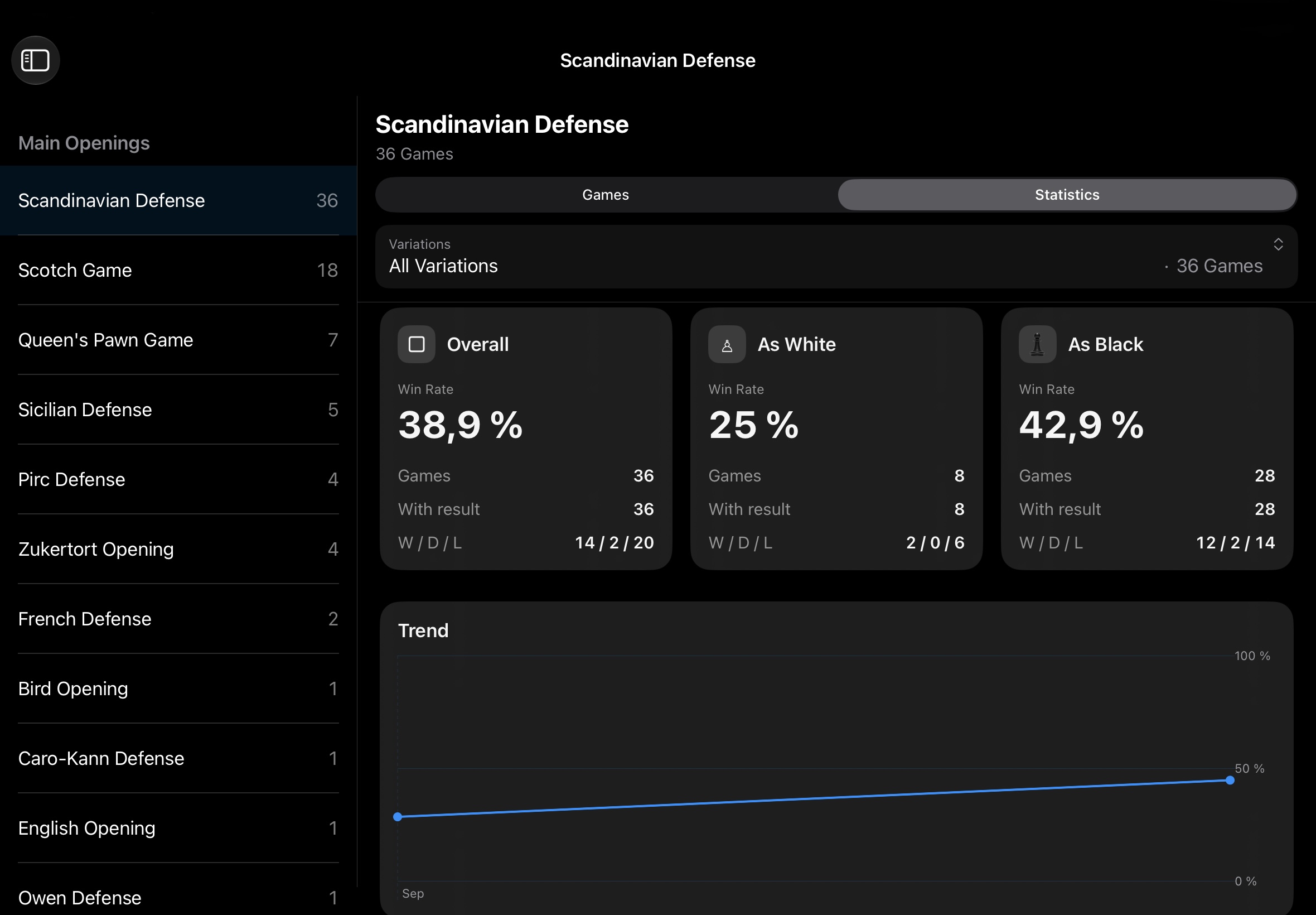
Explore openings and their continuations in the Opening Browser – and check your own results in My Openings: game counts, win rate as White and as Black, results and the trend over time.

Chessory on iPad: opening statistics with win rate as White and Black

Sample data

Guides

See how it works – in a minute.

Short videos and clear instructions: sync your games, turn a photo into a position, understand your coach's explanations.

Chessory app icon

Your next level starts
with your last game.

Download Chessory and turn the games you've already played into your best teacher.

For iPad, iPhone and Mac.